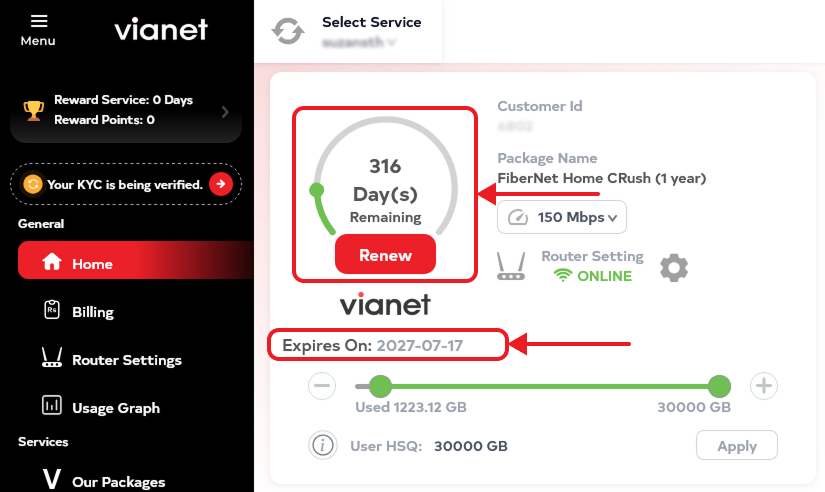
Check Expiry: Login to Customer Web Portal / Mobile App (Android or iOS). The date is shown on the Home page of the app with a circle and the number of days remaining.
- App Dashboard: Open the Vianet Mobile App to view your exact expiration date directly on the main home screen.
- Portal Status: Login to Customer Web Portal to view your subscription validity counter in the account summary.